Family meal planning

A family meal-planning system that does not fall apart when plans change.

Choose a short menu of familiar dinners, plan fewer meals than there are nights, and keep two easy fallback meals ready.

Hands serving tomato-braised meatballs, creamy polenta, greens and torn bread at a wooden kitchen table, faces out of frame.
Family-style tomato-braised meatballs with polenta, greens and bread being served.

Start with familiar dinners, leave a little room in the week, and keep a couple of easy fallbacks in mind. A changed plan is still a plan. You can move dinner without rebuilding the whole week.

How do I meal plan for a family?

A workable family plan starts with meals the household already likes, plans fewer dinners than there are nights, shares decisions instead of leaving everything to one person, reuses leftovers or prepared components on purpose, keeps simple fallback meals available, and can change without being considered a failure.

A method you can repeat

A simple family meal-planning system

Family meal planning is not a seven-day grid you defend all week. It is a short list of dinners this household already trusts, a realistic count of nights you will actually cook, and enough space that a late practice or a guest does not wipe the whole plan out.

The same method works on paper. You do not need software to start. Keep a short menu, count the nights you will actually cook, choose together, check the week, leave space, shop from that plan, and adjust instead of restarting.

  1. A short menuWrite the dinners this household already likes and will cook. That list is the standing plan.
  2. A realistic countDecide how many dinners the week actually needs — often fewer than there are nights.
  3. Choose togetherHousehold members suggest meals. One person can assemble the week from that list.
  4. Check the weekLook at late nights, guests, and nights away before you shop, not after.
  5. Leave spaceKeep nights for leftovers, a fallback, or a change of mind. Open space is part of the system.
  6. Shop the planBuy for the dinners you chose and the portions who will be home — not for a full calendar.
  7. Adjust, don’t restartWhen something moves, slide the meal, use a fallback, and return unused dishes to the menu.

A compact family planning checklist. Print it if a paper list is easier on the fridge.

  1. Write a short menu of dinners this household already likes
  2. Count how many dinners the week realistically needs
  3. Let household members suggest meals before anyone locks the list
  4. Check late nights, guests, and nights away
  5. Choose four or five planned dinners — not seven by default
  6. Name one leftover or component-reuse night
  7. Name two fallback meals you actually like
  8. Set portions for who will be home
  9. Shop from that plan, not from a blank field
  10. When plans change, move the meal instead of restarting

Known dinners first

Start with meals your household already likes

How do I handle picky or changing preferences? Begin with dinners people already eat, not with seven new recipes you found on Sunday. A household that likes meatballs, tacos, roast chicken, and a tomato pasta will cook those. A household asked to invent a new cuisine every night will order out by Wednesday.

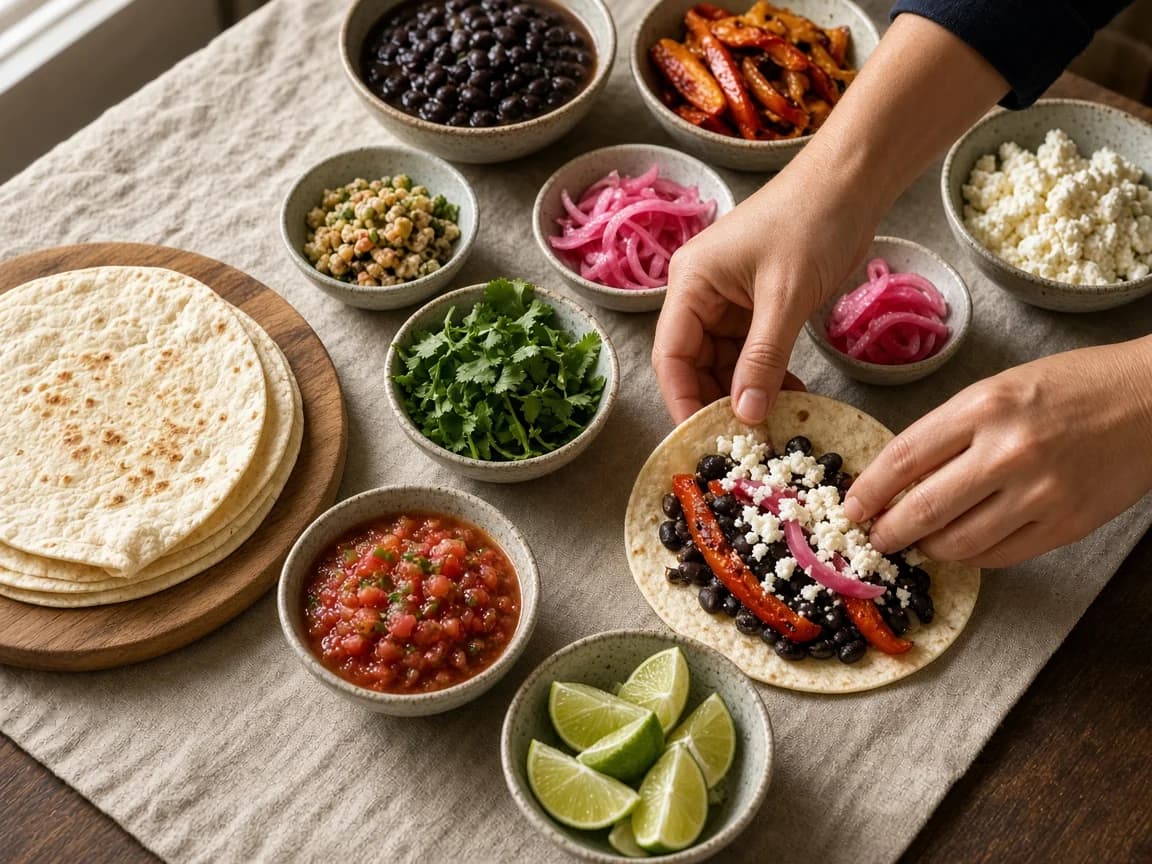
Write a shared base: meals most people at the table will eat. Then let plates differ at the edges. Serve a pot of beans, a stack of tortillas, roasted peppers, cheese, and lime, and let each person build. Keep one familiar thing on the table even when you try a new topping. Rotate who chooses the next dinner from thestanding menu so the same person is not privately responsible for everyone’s taste.

Do not assume every household eats the same way. Some tables share one dish. Some share a base and split components. The menu should be short enough to read in a minute, and honest enough that a dinner nobody will eat does not take a night. This is household preference, not medical, dietary, or feeding advice.

Hands assembling soft tacos from shared bowls of beans, roasted peppers, cheese, lime and pickled onions.
A shared base, plates that can differ.

Fewer than the calendar

Plan fewer dinners than there are nights

How many meals should I plan for a week? Start with four or five planned dinners. Leave the remaining nights for leftovers, a fallback, a meal outside the home, or a change of mind. That is a useful default for many households. It is not a universal rule. A household that cooks most nights can plan five and still keep a fallback. A week with two evenings out can plan three and still be a plan.

Seven named dinners look complete on a grid and then break. A concert, a fever, or a guest will collide with a locked Tuesday. If every night is assigned, there is nowhere for that collision to go except guilt or an unplanned shop.

Count a leftover plate as a planned option when you already know it will be eaten. Monday’s meatballs becoming Wednesday’s subs is still planned. You just do not buy a second protein. The open night is permission, not a gap in the system.

How many meals should I plan for a week?

Four or five planned dinners is a useful starting point for many families, with leftover, fallback, or unplanned nights around them. Scale the count to the week you actually have. It is not a rule that every household must cook five times.

One conversation, one current plan

Share the decisions, not just the grocery list

How can a family share meal planning? Hold one short planning conversation — ten or fifteen minutes is enough — and let household members suggest meals. Then one person can assemble the week from that list without privately owning every decision for the rest of their life. Shopping and cooking can vary week to week. What does not vary is that everyone works from the same current plan.

The usual problem is not that nobody will cook. It is that one person is expected to invent dinner, remember who is home, write the shop, and absorb every change. Sharing the grocery list later does not fix that. Sharing the menu earlier does.

Avoid turning this into fixed family roles. The person who assembles this week does not have to assemble next week. Shopping and cooking can rotate. The useful object is the current plan — not a permanent assignment of who “does the meals.”

This is general household advice. It does not describe Carte’s product permissions, live sync, or who can edit what in an app. For the product version of one household working from the same menu and order, see Shared Kitchen. For a two-person table, see meal planning for two.

  1. SuggestAnyone in the household can name dinners they will eat or cook this week. Three suggestions each is enough.
  2. AssembleOne person turns those suggestions into a short plan — not because they own dinner forever, but so the week has a current list.
  3. ShopShopping can rotate. The list belongs to the plan, not to the person who happened to write it down.
  4. CookCooking can rotate too. The person at the stove works from the same current plan as the person who is out late.

Make it once

Use leftovers and prepared components intentionally

Leftovers that happen by accident sit in the fridge and wait. A prepared component is different: you cook it because a second dinner will use it. Make the component once. Let dinner use it twice.

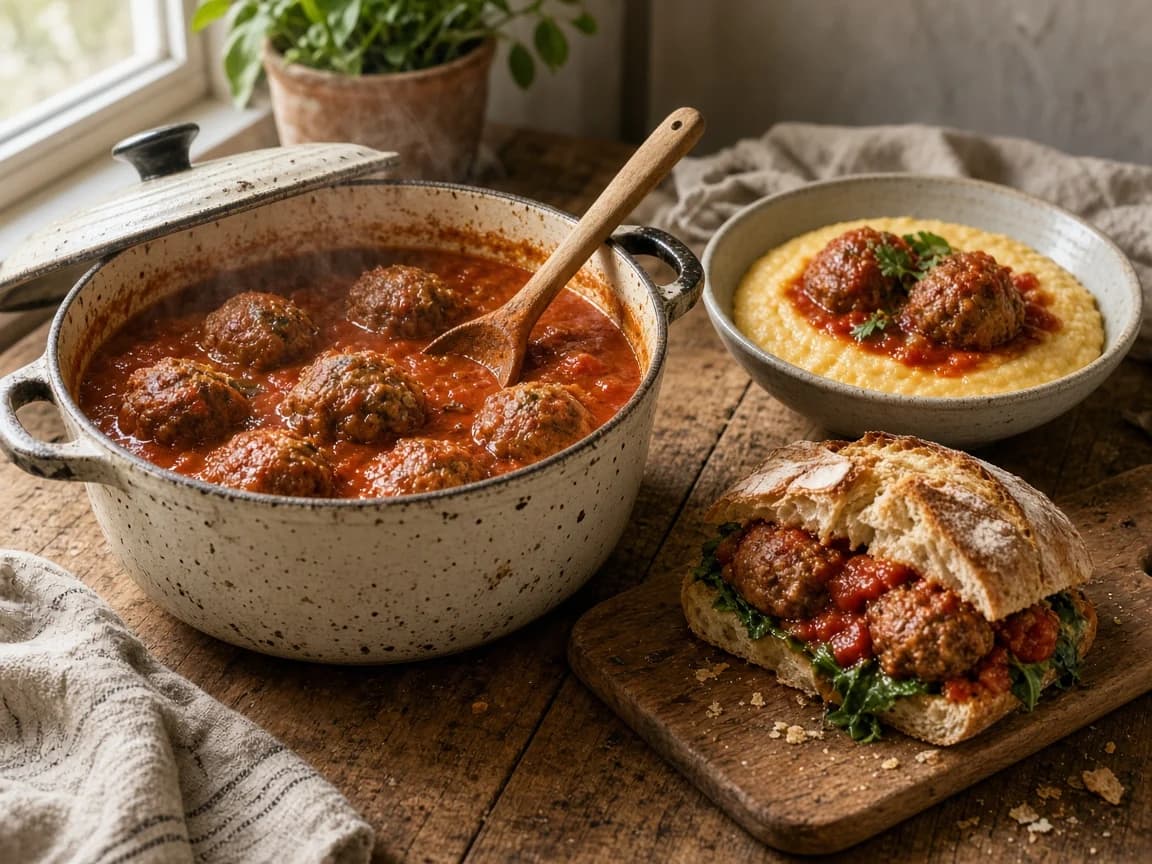
A pot of tomato-braised meatballs is the example on this page. Night one: meatballs over creamy polenta, with greens and bread. Night two: the same meatballs in subs, baked pasta, or on toast with a salad. The second dinner should feel like a second dinner, not a repeat plate.

You can do the same with a tray of roasted vegetables, a pot of beans, or a roast chicken. If the component will not be used, do not cook extra. This is not a waste-reduction promise, and it is not a full pantry inventory.

A sauce you have already made can do part of the work for another dinner. Record it in Carte and connect it to the next recipe, and the shopping list can account for it. The recipe organizer shows how that connection works.

A Dutch oven of tomato-braised meatballs beside a bowl of polenta with meatballs and a meatball sandwich on a board.
One pot. Polenta tonight. A sandwich later.

Named in advance

Keep two fallback meals in reserve

A fallback is not a confession that planning failed. It is a dinner you already like, sitting on the menu, ready when the evening collapses. Name two. If you only name one, the night that dish also fails has nowhere to go.

Keep them desirable. Pantry pasta with tomatoes and crisp breadcrumbs. Eggs with greens and toast. A freezer meal this household actually wants. Soup, toast, and a leftover component. These should taste like food you would choose on a quiet Thursday, not like punishment for a late train.

Write them on the standing menu so nobody has to invent them at 7 p.m. When you use a fallback, the rest of the week can stay. You do not owe the calendar a replacement for the dish you skipped.

A ceramic bowl of tomato pasta with crisp golden breadcrumbs, toasted bread and a plate of greens.
A fallback that still looks like dinner.

An example, not a timetable

Example flexible family week

This sketch shows four planned dinners, one component-reuse night, one fallback night, and one intentionally unplanned night. Days are here so the week is readable. Every dish can move. Portions follow who is home.

It is not a diet and it is not a Monday-to-Sunday commitment. Swap every dish for yours. Keep the shape: planned, reused, named as fallback, left open.

A sketch, not a timetable

Four dinners, a reuse night, and room around them

  1. Monday

    Planned

    Tomato-braised meatballs with creamy polenta and greens

    Cook extra meatballs. Portions follow who is home tonight.

  2. Tuesday

    Planned

    Build-your-own tacos — shared beans, peppers, cheese, and toppings

    One base, plates that can differ. Rotate who chooses the toppings.

  3. Wednesday

    Reuse

    Meatball subs from Monday’s pot, with greens

    The component becomes a second dinner, not a repeat of polenta.

  4. Thursday

    Fallback

    Fallback night — pantry pasta with tomatoes and breadcrumbs, or eggs and greens

    Ready because time disappeared, not because the plan failed.

  5. Friday

    Planned

    Roast chicken, potatoes and a tray of vegetables

    A familiar favourite. Scale the bird to the table that is actually here.

  6. Saturday

    Planned

    A pot of beans with greens and bread — another standing favourite

    The fourth planned dinner. Swap it for any dish this household already likes.

  7. Sunday

    Open

    Intentionally unplanned — leftovers, a guest, or a night out

    Days are here so the sketch is readable. Every dish can move.

Recovery, not restart

What to do when plans change

How do I keep a meal plan flexible? Move the meal rather than abandoning the week. If Wednesday’s subs cannot happen, they can happen Thursday. The tacos can wait. The unplanned night can absorb the collision. Restarting from a blank list is how households decide meal planning “doesn’t work here.”

Prioritize food with the shortest usable window. Cook the meatballs, the fish, the washed greens. Move shelf-stable meals later — the pasta, the beans, the freezer fallback. If time disappears entirely, use a fallback you already named. That is the job those two dinners were waiting for.

If you have not shopped yet, revise the list before you buy. If you already shopped, cook what will not keep and carry unused dishes back to the standing menu. None of this is a waste-reduction guarantee. The job is to let one changed night leave the rest of the plan standing.

  1. Move the mealSlide it to an open night instead of deleting the week.
  2. Cook what will not keepUse the shortest window first.
  3. Park what will keepShelf-stable dinners can wait.
  4. Use a named fallbackWhen time is gone, do not invent a third plan.
  5. Revise before you buyIf you have not shopped, change the list.
  6. Return dishes to the menuUnused dinners still belong on the standing list.

When you want the method in software

How a shared meal-planning app helps

What is a good family meal-planning app? One that holds a short shared menu, lets a household choose dishes without locking every night to a date, sizes portions before shopping, and produces one list. The paper method above does not require an app. Software is useful when the menu, the portions, and the shop keep scattering across notes and threads.

In Carte, your household keeps one menu of dishes you like. Choose portions, get a shopping list from those choices, and cook from the same saved recipes when you are ready. A pot of sauce recorded in Carte can also become part of the next meal.

That is one kitchen, not multiple households, and not a social graph. Crossing an item off a list is not claimed here as live-sync across every phone. Carte does not maintain a complete raw pantry, offer nutrition or cost or allergen guarantees, send closed-app reminders, or promise offline-first behaviour. AI is optional.

The commercial product page for the app-qualified query is Shared Kitchen. This guide stays with the method. The meal planning app overview sits on the homepage.

What is a good family meal-planning app?

Look for one household menu, dishes chosen without pinning every night to a date, portions before the shop, and one consolidated list. Carte is built that way for a single kitchen. It is not the only method, and it does not require everyone to eat the same plate at the same hour.

  1. One household menuPeople in the same kitchen can work from the same menu and order, where that behaviour is currently verified.
  2. Choose without a calendarPut dishes on the standing menu without locking Thursday to a title.
  3. Portions, then the listSet how many plates. Matching ingredients from the chosen dishes combine into one shop.
  4. Staples stay offConfigured staples can remain off that list. This is not a full raw-ingredient pantry.
  5. Cooked components countA supported cooked component already made can cover part of a later dish.
  6. Cook at household paceCooking uses the same recipe you saved. The household does not have to sit down at the same hour.
Illustration of the method in Carte — not a product screenshot. Authenticated Shared Kitchen screens are not on this page yet.

AI is optional. The standing menu, portions, list, and cooking loop work without it.

Questions

Frequently asked questions

How do I meal plan for a family?

Family meal planning works best when you choose a short menu of familiar dinners, plan fewer meals than there are nights, leave room for leftovers and changing schedules, and keep two easy fallback meals ready.

How many meals should I plan for a week?

A useful starting point is four or five planned dinners, with the remaining nights free for leftovers, a fallback, eating out, or a change of mind. That is a starting point, not a rule for every household.

How can a family share meal planning?

Hold one short conversation, let household members suggest meals, then let one person assemble the week’s plan from that list. Shopping and cooking can rotate; everyone works from the same current plan.

How do I handle picky or changing preferences?

Keep a shared base of meals most people will eat, serve some components separately so plates can differ, include something familiar, and rotate who chooses. Do not assume every household eats the same way.

How do I keep a meal plan flexible?

Move a meal instead of abandoning the week. Cook first what will not keep, shift shelf-stable dishes later, use a fallback when time disappears, and return unused dishes to the standing menu.

What is a good family meal-planning app?

A good family meal-planning app holds one household menu, lets you choose dishes without locking every night to a date, builds one shopping list from portions, and can account for supported cooked components. Carte is built that way for a single kitchen.


Keep a short menu. Leave the week room to move.

Familiar dinners, fewer planned nights, leftovers named on purpose, and two fallbacks you actually like.